
Own Your NPI: A Physician's Guide to Keeping Your NPI Current

Chris Palmeiro D.O. M.Sc.
July 13, 2026
Why Your NPI Matters
Learn when physicians should update their NPI, why it matters for credentialing and prescribing, and how to add state licenses and specialty taxonomy codes through the NPPES portal.
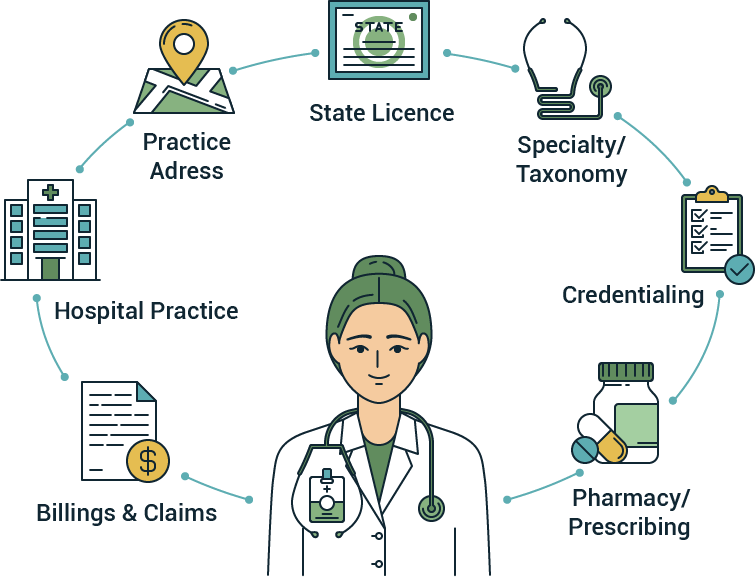
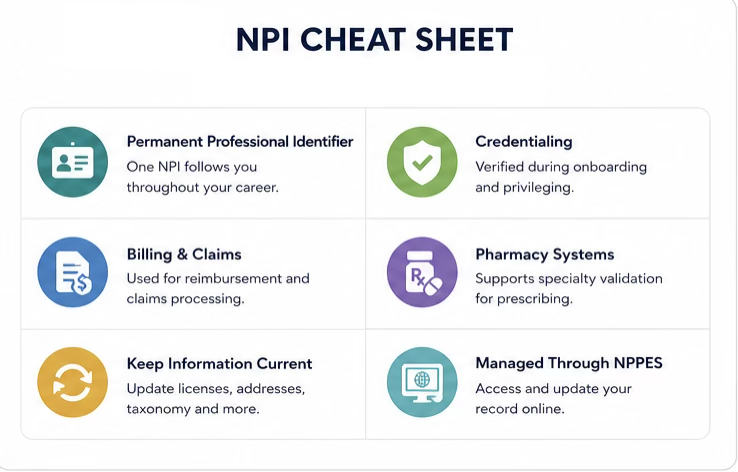
Your NPI is more than just another number. It is your professional identity within the U.S. healthcare system. Every claim submitted, prescription written, and credentialing record ultimately traces back to this single identifier. Whether you are billing directly or through a healthcare organization, your NPI identifies you as the rendering provider.
More importantly, your NPI belongs to you. Healthcare organizations, insurers, pharmacies, and other entities rely on your NPI to conduct business, but you remain responsible for maintaining an accurate record. This number is publicly available and needs to be accessed by entities involved in your care delivery, otherwise claims cannot be processed. This means that the institutions in your life will expect it.
If your NPI data is wrong or outdated, the consequences can be frustrating:
- Claims get denied
- Credentialing gets delayed
- Prescriptions can get rejected
Ultimately, inaccurate NPI information creates unnecessary administrative delays that can affect both physicians and patients.
When Should You Update Your NPI?
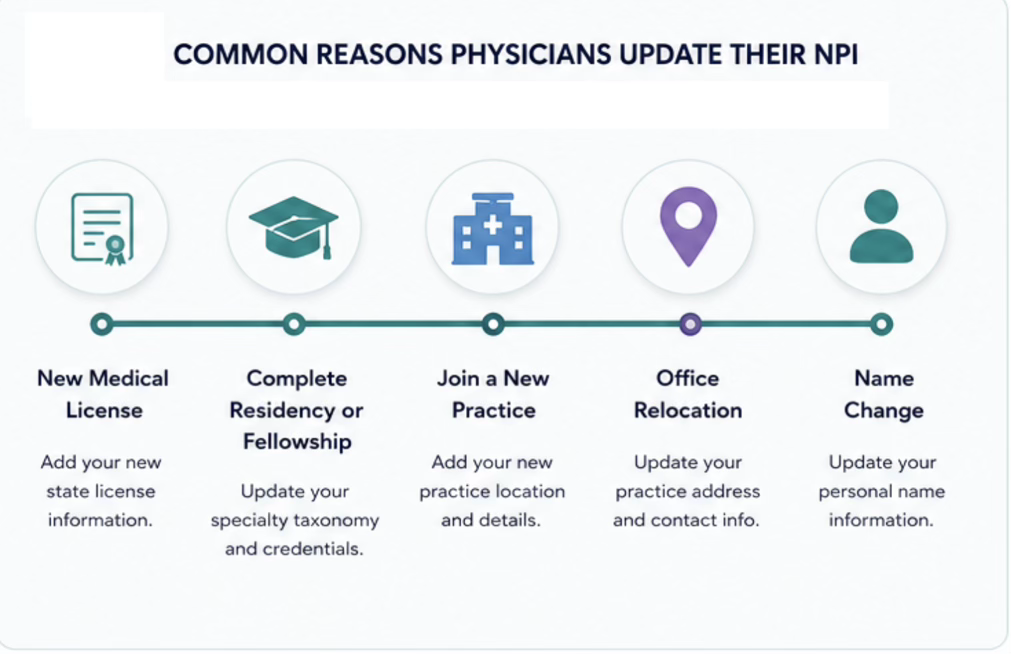
You only get one NPI. It doesn’t expire. It doesn’t change if you graduate residency or relocate for work. You will carry this with you across your career.
That means:
- You are responsible for keeping it updated and knowing what’s listed under it.
- Most physicians access NPPES (National Plan and Provider Enumeration System infrequently, making it easy to overlook outdated information and forget login credentials.
- Becoming comfortable navigating NPPES will make future updates faster and easier.
In fact, Federal regulations tied to HIPAA require physicians to update their NPI record within 30 days of changes to their address, practice location, or specialty.
Sadly, most of us do not remember ever having logged in. Or if you have been in practice a while, never had time to look back and check it for accuracy.
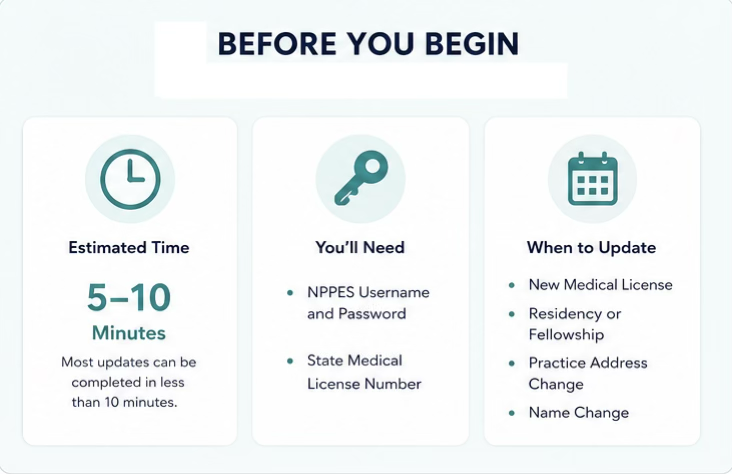
We will review the two most common times physicians need to update their NPI information, when they obtain a new state license or complete specialty training.
Adding State Licenses and Taxonomy Codes
Most physicians rarely think about taxonomy codes in daily practice. However, these administrative codes define your specialty and are maintained as part of your NPI record. They are increasingly being used by healthcare entities.
For example, larger pharmacy systems may block prescriptions if your taxonomy doesn’t match your prescriptive authority.
Having incorrect taxonomy codes tied to your NPI can impact patient care and bring unnecessary headaches. As a result, many hospitals and health systems now verify taxonomy codes and state licenses during credentialing to identify discrepancies before they create downstream problems.
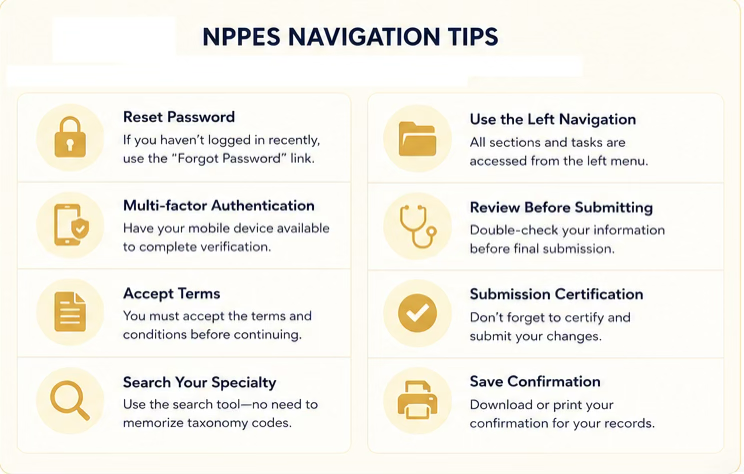
Step-by-Step: Adding a State License and Taxonomy Code
Here's how to check and update it:
- Sign in to NPPES (http://nppes.cms.hhs.gov/login) using your NPI login credentials
- Select Manage NPIs.
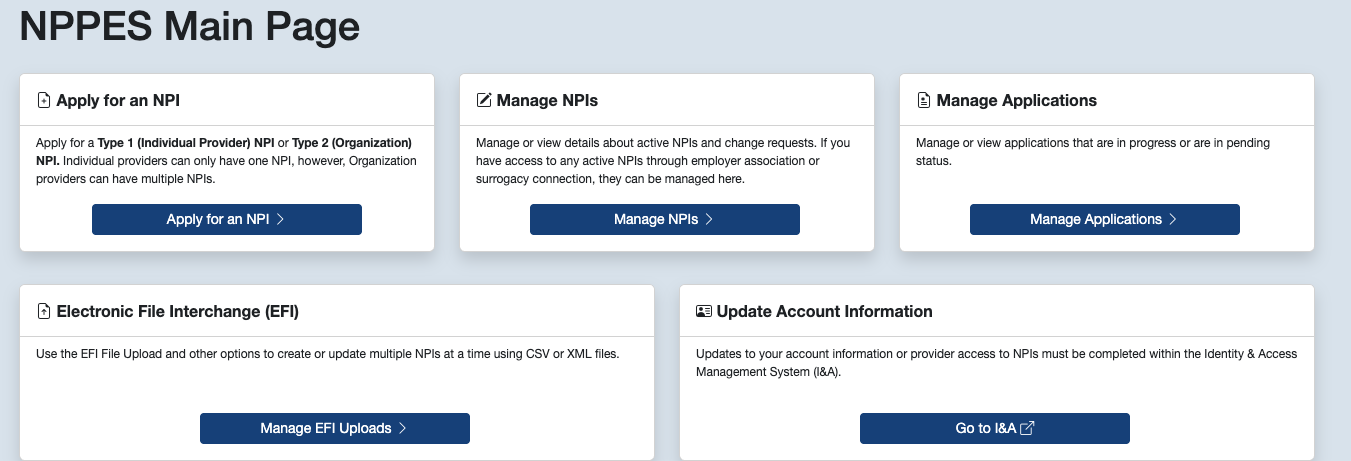
- Click manage next to your NPI.
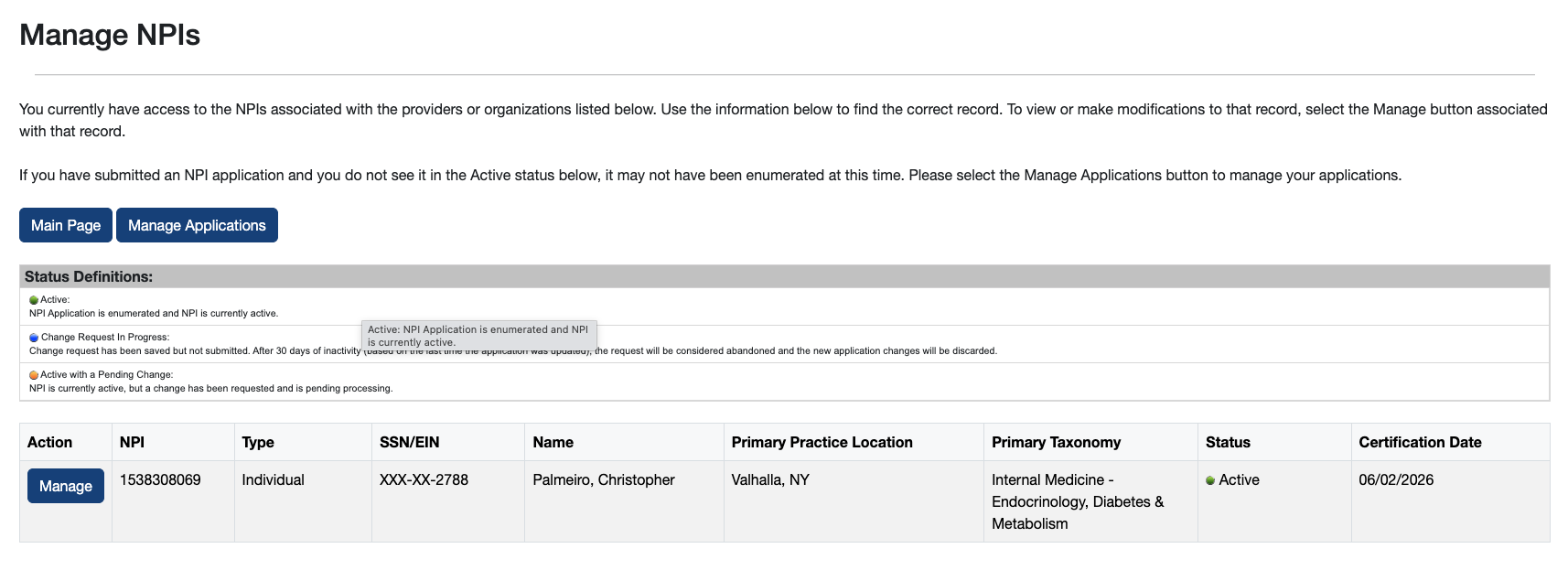
- Choose Edit.
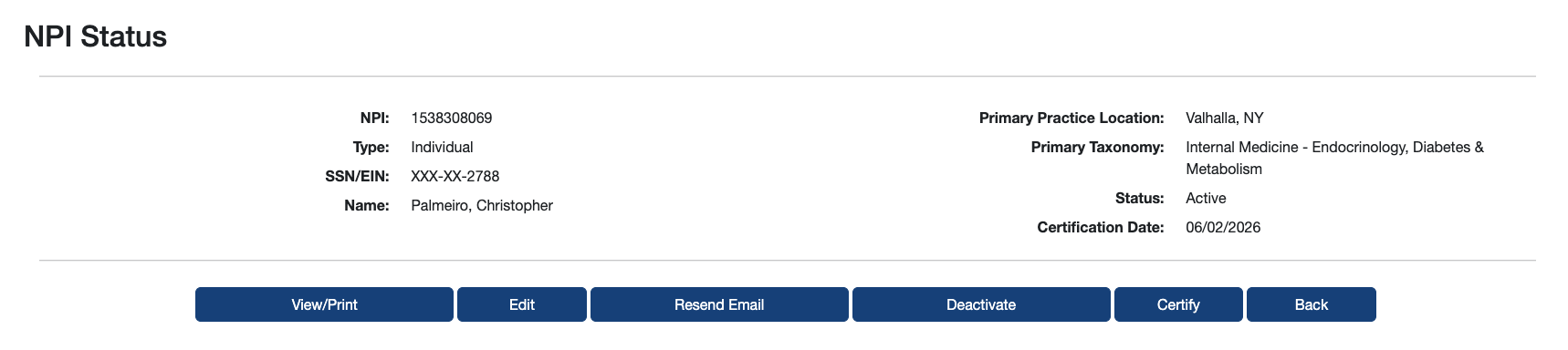
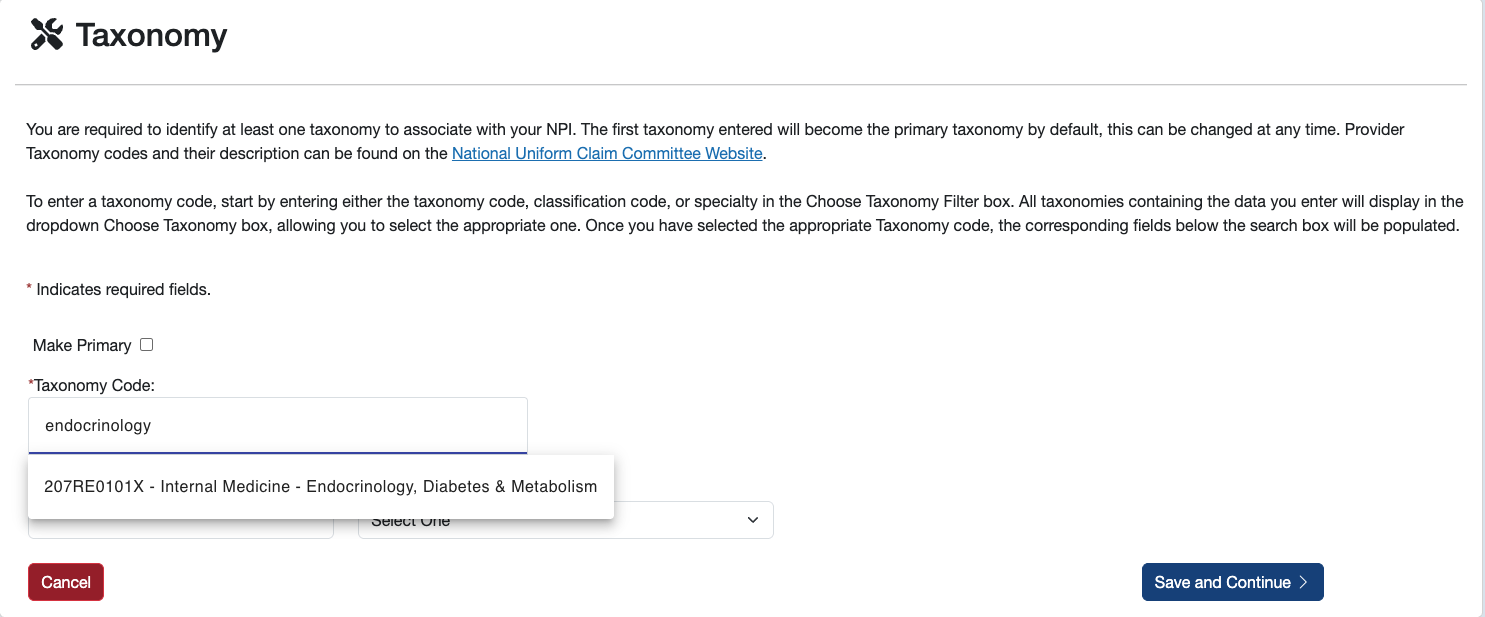
- Select Taxonomy and then Add Another.
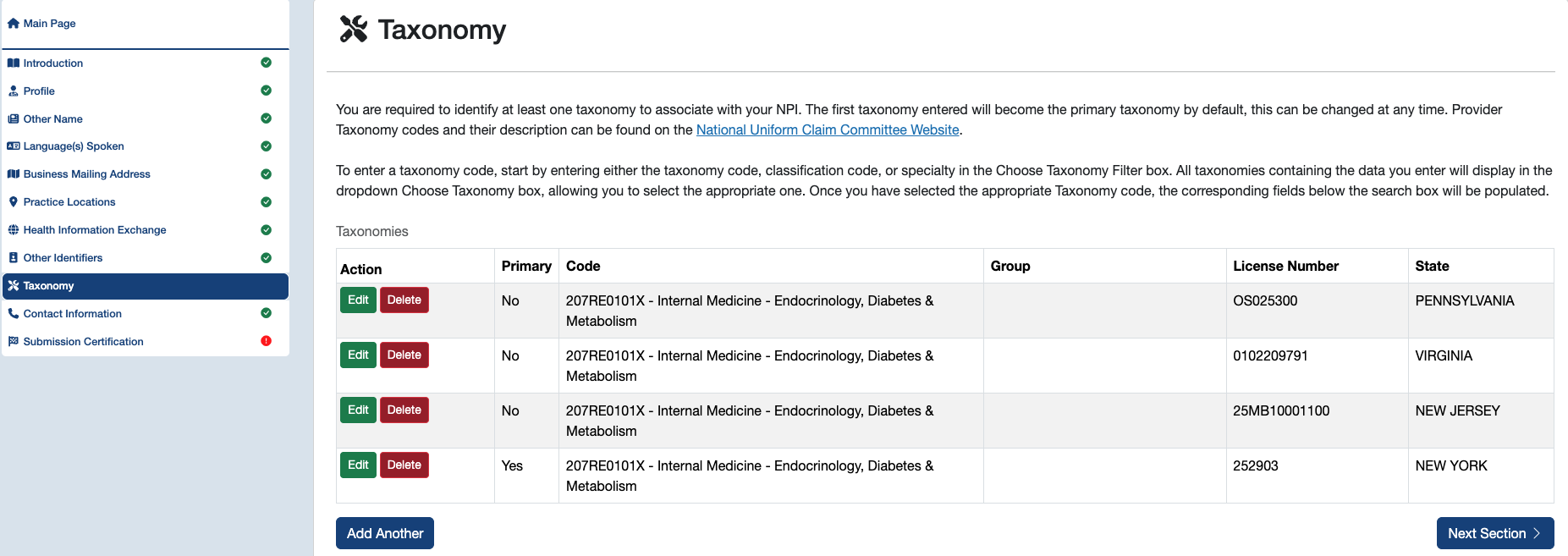
- Search and add your specialty, license number, and state.
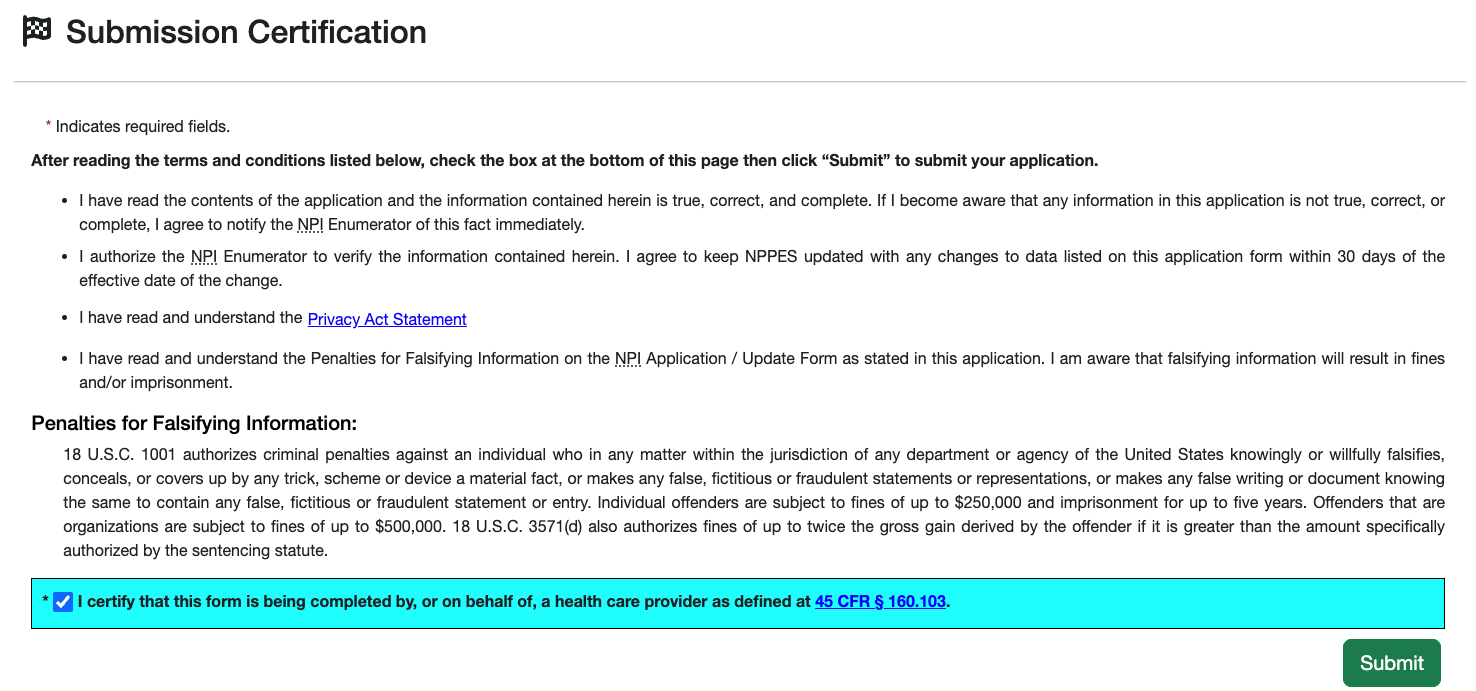
- Complete Submission Certification and save the confirmation.
Your NPI is one of the few identifiers you will carry throughout your entire career. Keeping it accurate takes only a few minutes, but doing so can prevent credentialing delays, rejected prescriptions, billing issues, and unnecessary administrative frustration. Consider reviewing your NPI whenever you obtain a new state license, complete a training program, or change practice locations.